
How do I get DivyaScale WB software?
Tap the Get Software button to message our team on WhatsApp. We confirm your setup and share the licensed installer directly with you.
One screen for live weight capture, first/second weighment, multi-camera monitoring, ticket printing, party & vehicle records, reports and WhatsApp sharing — built for Indian weighbridge owners.

DivyaScale WB is a licensed application — we share the installer and activation directly with you on WhatsApp, so there's no open download link on this page.
Live weight, three camera feeds and the full weighment form on one clean screen.
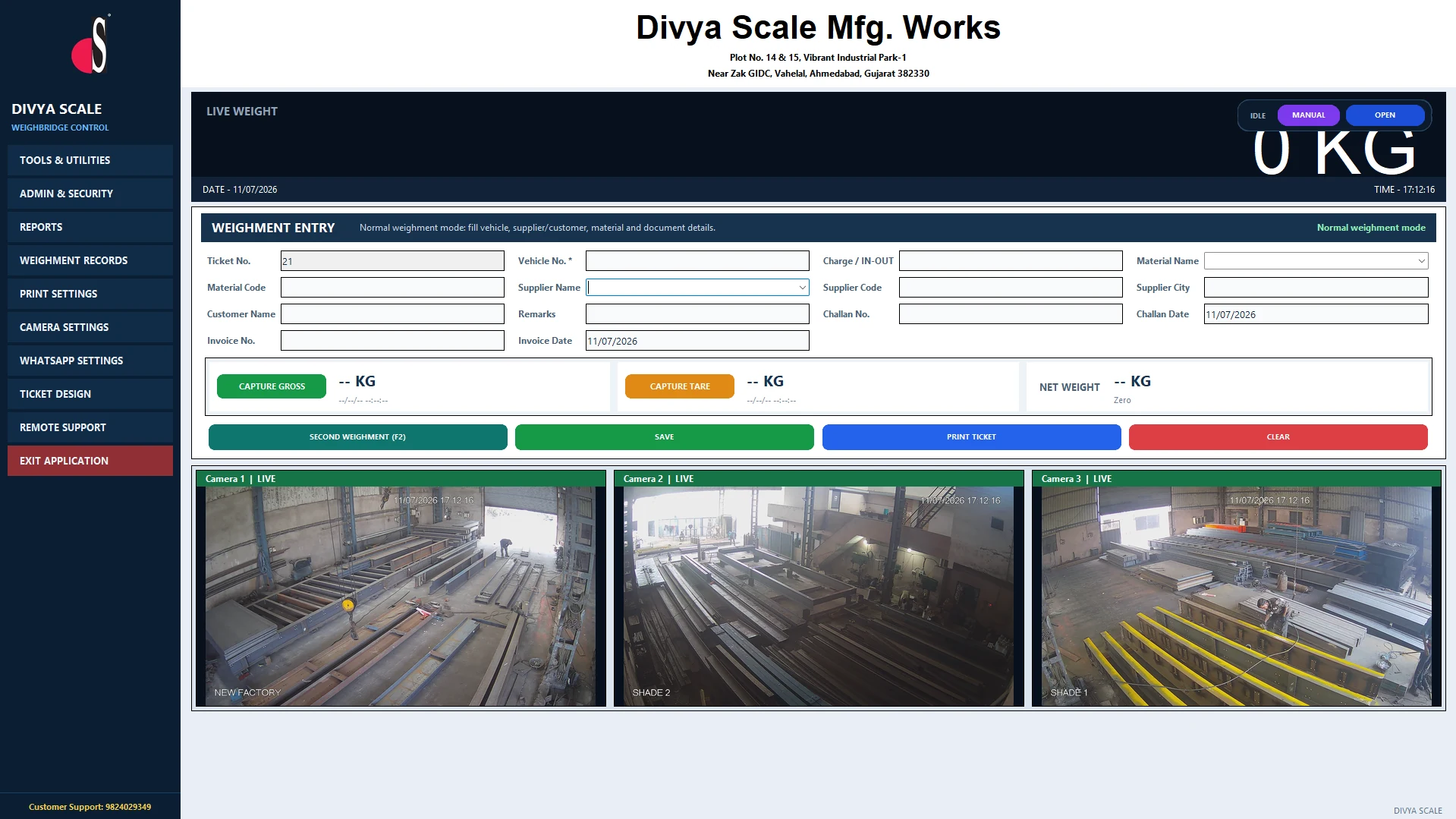
Live gross and tare weight capture with manual entry mode, second-weighment shortcut and instant net weight.
Watch and capture up to 3 live camera feeds per weighment for proof, safety and dispute-free records.
Print weighment slips in seconds with a fully customisable ticket design and dealer branding option.
Daily, party-wise, vehicle-wise and material-wise reports, searchable weighment records and Excel export.
Share weighment slips and reports straight from the software over WhatsApp or email.
Manage more than one weighbridge location from a single, plant-isolated system with separate records.
Organised supplier, customer, vehicle and material master data with challan and invoice tracking.
Role-based logins and activation-protected licensing keep sensitive settings and records secure.
Built-in remote assistance lets our team help you directly, whenever you need it.
Tap Get Software and tell us about your weighbridge, indicator and camera setup.
Our team shares the DivyaScale WB installer and activation, and helps with setup.
Launch the software, connect your indicator and camera, and print your first ticket.
| Operating System | Windows 7 / 8 / 10 / 11 (64-bit recommended) |
|---|---|
| Processor | Dual-core 1.6 GHz or higher |
| RAM | 2 GB minimum, 4 GB recommended |
| Storage | 500 MB free disk space |
| Connectivity | Serial (RS232) weighing indicator; USB or IP camera for snapshots (optional) |
| Optional | Printer for ticket printing, internet for WhatsApp/email sharing and remote support |
Tap the Get Software button to message our team on WhatsApp. We confirm your setup and share the licensed installer directly with you.
DivyaScale WB is a licensed, activation-protected application. Sharing it personally on WhatsApp lets us register your activation and support the install properly.
The software installs on Windows 7, 8, 10 and 11, with 64-bit systems recommended for best performance.
Yes, DivyaScale WB includes multi-plant support so you can manage more than one location from a single system.
Core weighment, printing and reports work offline. Internet is only needed for WhatsApp/email sharing, cloud sync and remote support.
Yes, tap "Get Software" above to reach our team directly on WhatsApp and we'll walk you through setup.
One application. Full weighment workflow. Support whenever you need it.