
First and second weighment
Capture gross and tare transactions and calculate the resulting net weight in a consistent workflow.
DIVYA SCALE / SOFTWARE
Divya Scale weighbridge software manages the daily transaction flow around the scale: first and second weighment, vehicle and party details, ticket printing, reporting and optional image capture. It is designed for Windows-based weighbridge cabins and dealer deployments.
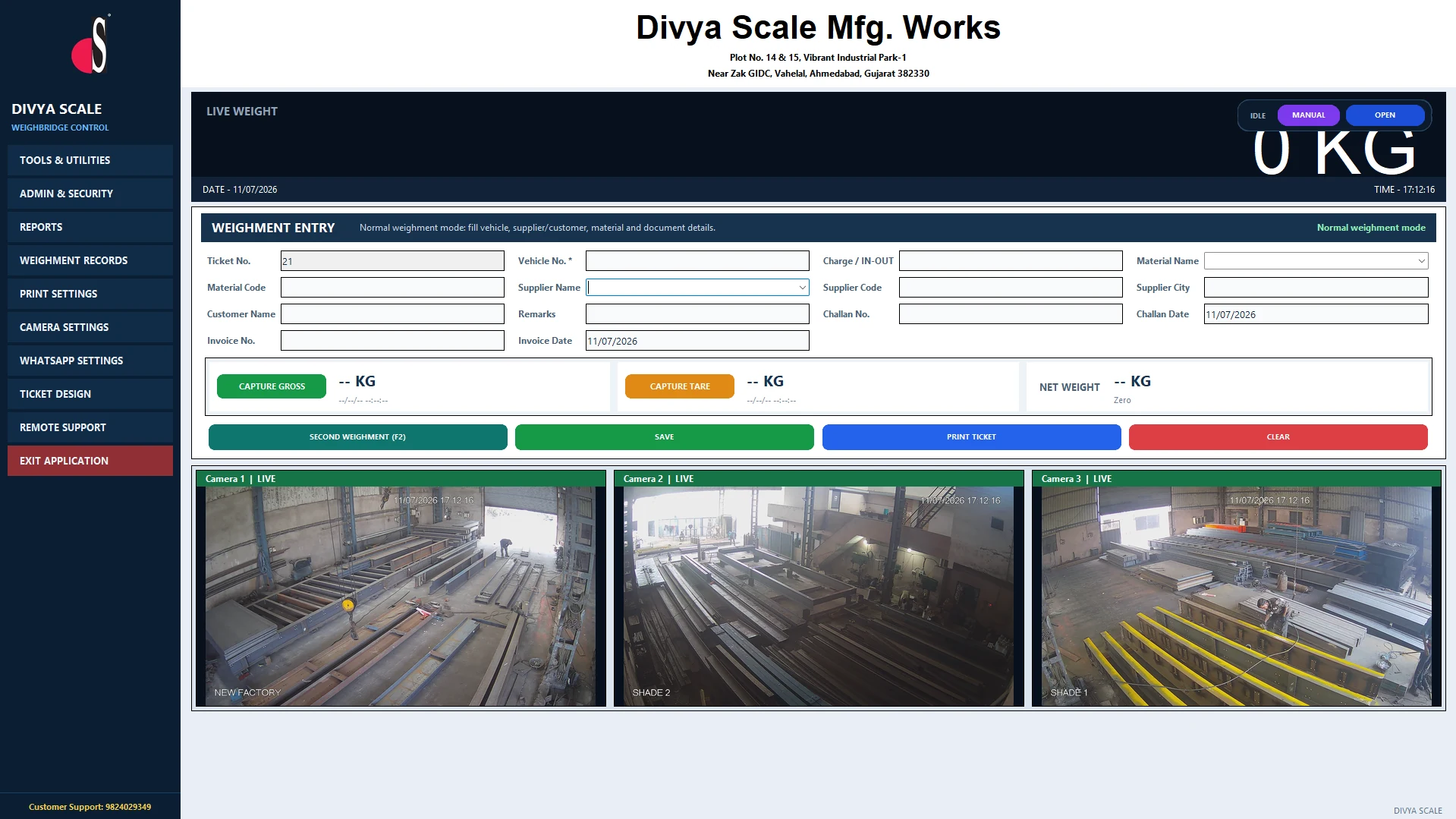 ACTUAL INTERFACE / TAP TO EXPAND
Capture gross and tare transactions and calculate the resulting net weight in a consistent workflow.
Generate branded weighment tickets from the same operator screen.
Maintain party, vehicle and weighment history for day-to-day traceability.
Export records for daily, weekly or monthly analysis and reconciliation.
Optional camera capture can attach visual evidence to each weighment.
02 / SELECTION & APPLICATION
03 / ENGINEERING NOTES
The software is intended to work with weighbridge indicators and can be extended with cameras and other site equipment.
Deployments can be prepared for dealer/customer branding where required.
RFID, sensors and barrier logic can be connected as part of an unmanned or controlled weighbridge project.
04 / BUYER QUESTIONS
The current Divya Scale software package is intended for Windows 10 and Windows 11.
Yes. Ticket printing is part of the standard workflow.
Yes. The software supports exportable reporting for operational records.
Yes, camera snapshot capture is available as an optional integration.
KEEP THE SYSTEM CONNECTED
OFFICIAL SOFTWARE & RESOURCES
Windows weighbridge management software. Use the official installer and contact Divya Scale for activation and hardware configuration.
Download Windows InstallerBrowse the supplied Divya Scale product catalogue. Confirm final specifications and scope in the quotation.
Open CatalogueShare your indicator, Windows environment, printer and optional camera requirements with our team.
Discuss InstallationLET’S BUILD YOUR SYSTEM
Tell us what you need to weigh, where the system will operate and how the site works.
+91 98240 29349info@divyascale.comGujarat, India